Skip to content
lucky5 Mobile / App
LIVE LOBBY

lucky5 — Live Tables, Slots and Cricket Betting, One Tap Away

Microgaming, CQ9 and JDB titles load straight from your phone browser — no install needed — while Rocket and Upay sit ready in your account wallet for fast deposits. Access is subject to your local law and eligible regions.

bKash Nagad Rocket
Browse games
CONTENT / 01

Open Cricket Betting Alongside Your Casino Session

Cricket is the sports category we see accessed most frequently from Bangladesh accounts. BPL matches, international Test series and T20 tournaments appear in the Sports tab as market listings — each showing the available bet types and current odds at the time you open the page. Odds update in real time during live matches; the display refreshes automatically without you needing to reload the page.

  • Cricket Markets

    BPL and international cricket markets are shown in the Sports tab with available bet types listed per match. Odds are live-updated during matches. The wallet you use for casino games is the same one you use here — no transfer needed between your casino balance and sports balance.

  • Football Straight Bets

    Football Straight Bets lets you pick a single match outcome — home win, draw or away win — from the available fixture list. Stakes are deducted from your account wallet at the time the bet is confirmed. Results are settled after the match concludes, and the amount won is added straight to your wallet.

  • Live In-Play

    In-play markets open once a match kicks off. The list of available in-play bet types is shorter than pre-match — typically match result and next scoring event. The odds shown are the live odds at the moment you open the market card; confirm quickly as live odds shift with match events.

LOBBY FIRST LOOK

Switch Between Crash, Slots and Live Casino Fast

When you open the lobby on your phone, four category tabs sit at the top of the screen — Live Casino, Slots, Crash Games and Sports. Tap once to move between them without a full page reload. Crash Thunder sits inside the Crash tab; K2 Summit Slots and Makran Coast Slots are two clicks from the home screen inside Slots.

  • Crash Thunder

    Crash Thunder is one of the most-opened titles on the platform. The round starts immediately after you set your stake, and the multiplier climbs until the crash point — you cash out before it drops. Round history is visible on screen so you can see how recent rounds resolved before you commit your next stake amount.

  • K2 Summit Slots

    K2 Summit Slots runs on a five-reel format with a bonus round triggered by scatter symbols. When the feature fires, the game displays the number of spins awarded and the active multiplier state on screen. RTP for this title is shown inside the game's paytable, accessible via the information icon before you place a bet.

  • Live Casino Tables

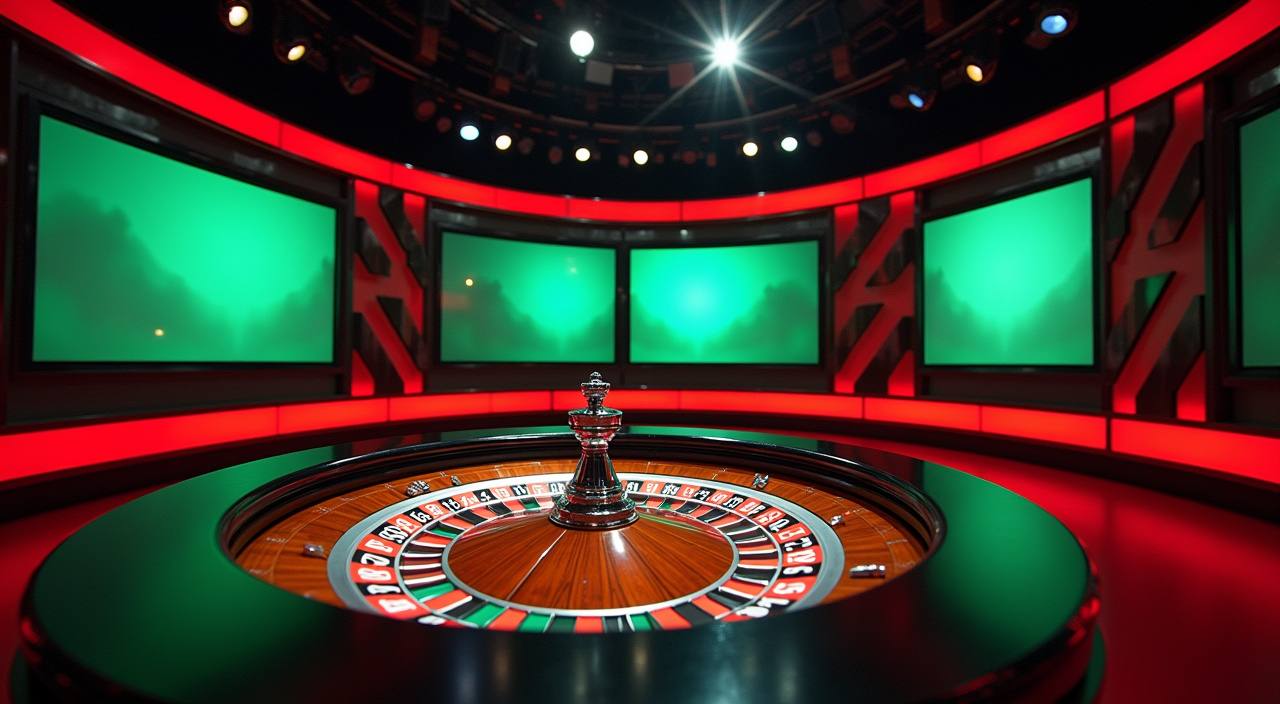
    Live casino tables stream in real time from studio feeds supplied through our provider network. Baccarat, Roulette Royal Night and live blackjack variations are available within the Live Casino tab. Table limits and current seat availability are shown on the table card before you enter, so you can choose a table that fits your session budget.

DISCOVER / 01

Choose your game

Full lobby
GAME NETWORK
Microgaming
Joker
CQ9
PlayStar
JDB
CONTENT / 04

lucky5 lobby studios

The lucky5 lobby carries content from Microgaming, Joker, CQ9, PlayStar, JDB. To check the studio, rules or features of one specific game, open that game card or the published information panel.

  • Microgaming

  • Joker

  • CQ9

  • PlayStar

  • JDB

TRUST / 03

Reach Support for Wallet, Login and Account Questions

Support is available through live chat and email for account, wallet and payment questions. If your bKash or Rocket deposit is not reflecting in your account balance, the first step is to check the transaction record inside your account dashboard — the deposit history tab shows the status of each transaction. If the status shows pending beyond the time stated on the deposit screen, contact support via live chat and share your transaction reference number.

  • Live Chat

    Live chat is accessible from the support icon in the lobby footer. Queue position is shown when you open the window. For deposit or withdrawal queries, have your transaction reference ready — the reference is shown in your account's transaction history tab so you can copy it directly before opening the chat.

  • Email Support

    Email support handles account verification, payment disputes and account-access issues that need document review. Response time varies; for faster resolution on urgent wallet matters, try live chat first. When emailing, include your registered account email address and the specific transaction ID from your account dashboard to avoid back-and-forth delays.

  • Account Dashboard Help

    Many common questions are answered directly inside your account dashboard — transaction history, current account status, active session devices and wallet balance are all visible after login. Check the dashboard before contacting support; the status shown there is real-time and often resolves deposit-reflection queries without needing to wait for a support agent.

Learn more →
LOCAL PAYMENTS

Deposit and Withdraw via bKash, Nagad, Rocket and Upay

The four payment methods connected to your lucky5 account are bKash, Nagad, Rocket and Upay. Each is accessible from the Deposit tab inside your account after login. Select the method, enter the amount within the limits shown on screen, and follow the payment instruction displayed — the screen walks you through the exact steps for each wallet type. Withdrawal requests are submitted from the same Payments section; the amount is sent back to the wallet you used for your deposit.

  • bKash

  • Nagad

  • Rocket

  • Upay

Banking
HOME ON YOUR PHONE

The lucky5 Home Screen Adapts to Your Phone Layout

On a phone screen, the lucky5 home page rearranges into a single-column layout with the game category tabs pinned to the top and the wallet balance visible in the header at all times. The lobby discovery rail — the horizontal scroll row of game tiles — sits directly below the category tabs, so the games you browse most are one swipe from the top of the page without scrolling down through conte

  • Single-Column Lobby

    The home page lobby collapses into a single scrollable column on phone screens. Category tabs stay pinned at the top so you can switch between Slots, Live Casino, Crash and Sports without scrolling back up. The game rail loads the catalogue tiles in a horizontal swipe row — faster to browse than a full-grid layout on a small screen.

  • Wallet Header

    Your account balance is shown in the page header throughout the home screen session. You do not need to navigate away from the lobby to check your balance before placing a bet or starting a spin. Tapping the balance figure opens a quick-view of your last three transactions without leaving the lobby page.

  • Session Continuity

    If you start browsing slots on your phone and later open the same account on a desktop browser, the session picks up from your last active tab. No re-login is required within the active session window. The account state — balance, last category, open game — stays consistent across devices as long as the session has not expired.

CONTENT / 03

The lucky5 Home Screen Adapts to Your Phone Layout

On a phone screen, the lucky5 home page rearranges into a single-column layout with the game category tabs pinned to the top and the wallet balance visible in the header at all times. The lobby discovery rail — the horizontal scroll row of game tiles — sits directly below the category tabs, so the games you browse most are one swipe from the top of the page without scrolling down through conte

  • Single-Column Lobby

    The home page lobby collapses into a single scrollable column on phone screens. Category tabs stay pinned at the top so you can switch between Slots, Live Casino, Crash and Sports without scrolling back up. The game rail loads the catalogue tiles in a horizontal swipe row — faster to browse than a full-grid layout on a small screen.

  • Wallet Header

    Your account balance is shown in the page header throughout the home screen session. You do not need to navigate away from the lobby to check your balance before placing a bet or starting a spin. Tapping the balance figure opens a quick-view of your last three transactions without leaving the lobby page.

  • Session Continuity

    If you start browsing slots on your phone and later open the same account on a desktop browser, the session picks up from your last active tab. No re-login is required within the active session window. The account state — balance, last category, open game — stays consistent across devices as long as the session has not expired.

ACCOUNT PATH

Three Steps from the Home Page to Your First Game

Getting from the lucky5 home page to an active game session takes three steps, and each one is visible on the screen in front of you — no hidden menus, no separate onboarding flow. Step one: open the account registration page from the home screen and fill in the fields shown.

  1. Open Account

    Fill in the registration fields on the account page. Your email and phone number are the primary identifiers used for login and account recovery.

  2. Add Funds via bKash or Rocket

    Go to the Deposit tab after login. Select your preferred wallet — bKash, Nagad, Rocket or Upay — and follow the payment instruction shown on screen. Minimum deposit amounts are displayed per method.

  3. Open the Lobby and Play

    Return to the home screen. Your updated balance shows in the header. Tap a category tab — Slots, Live Casino, Crash or Sports — and open any title from the discovery rail.

MEMBER DESK / 06

Offers, support and account controls

01

Game lobby

02

Payment guide

03

Support

ACCOUNT gameplay

Check Your Account Dashboard for information

Offers connected to your lucky5 account are shown inside the dashboard after you log in — not on a public-facing board, and not on a schedule we publish here. The current state of what is available for your account is visible in the information section of your dashboard. We do not promise specific gameplay amounts or shapes on this page because the offers that appear depend on your account activity and eligibility at the time you check.

  • Dashboard Offers

    The information section inside your account dashboard shows what is currently available for your specific account. Offers vary by account status and deposit history. Tap any offer card to see the full conditions before you decide. Nothing is applied to your account without your action — you choose which offer, if any, to activate from the list shown.

  • Rocket and Upay Deposits

    Deposits made via Rocket or Upay may qualify for specific account offers depending on the amount and timing shown in the offer conditions. The dashboard reflects eligibility in real time after a qualifying deposit is confirmed. Check the offer card for the exact deposit amount and any time window that applies to the offer you see listed.

  • Offer Conditions

    Every offer shown in your dashboard includes a conditions summary — minimum deposit, applicable games, and any play-through requirement before the gameplay becomes withdrawable. Read the conditions on the offer detail page before activating. If anything in the conditions is unclear, live chat support can explain the specific terms before you commit.

Login
ACCOUNT AND ACCESS

How We Handle Your Account, Payments and Session Data

Account security, payment transparency and session accuracy are the three areas we focus on for every returning visit to the lucky5 home page. Your login session is tied to your registered account credentials — email and password — and the session token expires after a period of inactivity, which means an unattended phone does not stay logged in indefinitely.

  • Session Security

    Your account session expires after a set period of inactivity — the exact duration is shown in your account security settings after login. This prevents your account from staying open on a shared or unattended device. You can also manually log out from the account menu at any time; the option is always visible in the top-right of the screen.

  • Payment Transparency

    Every deposit and withdrawal request creates a transaction record in your account history. The record includes the amount, the payment method used, the timestamp and the current status. If a transaction shows as pending, that status updates automatically when the payment provider confirms — you do not need to contact support unless it stays pending past the window stated on the deposit screen.

  • Wallet Privacy

    We do not store your mobile wallet credentials. When you deposit via bKash or Rocket, the payment instruction opens within that wallet's own confirmation flow. We receive the transaction reference once the wallet confirms the transfer — your PIN and wallet password stay entirely within bKash or Rocket and are never visible to us.

  • Regional Access

    Access to lucky5 services depends on local law and eligible regions. The registration page states the eligibility conditions at sign-up. If your region's status changes, your account dashboard reflects the updated access state after login. We do not make claims about legal status in specific locations; check your local regulations before registering.

PLAYER INDEX / 07

Understand the Terms You See in the lucky5 Lobby

If you are new to some of the game types or lobby features at lucky5, the terms below explain what they mean in plain language. These are definitions of real mechanics and features you will encounter in the catalogue — not promises about outcomes.

Player guide and glossary
  • What is a bonus round in a slot game?

    A bonus round is a secondary game feature triggered inside a slot when specific symbols align — usually scatter symbols. During the bonus round, you receive a set number of feature spins or enter a pick-and-win game, depending on the slot's design. The outcome of the bonus round is determined by the game's mechanics; it is not a guaranteed payout.

  • What does RTP mean and where do I find it?

    RTP stands for Return to Player — it is a percentage that describes, over a very large number of rounds, how much a game pays back relative to total bets placed. We show RTP figures only where the game's provider has published them. You find them inside the game's paytable, accessible via the information icon on the game screen before you place a bet. We do not display invented or estimated RTP figures anywhere on the site.

  • What is a crash game?

    A crash game is a round-based game where a multiplier increases from 1x upward after you place your stake. You cash out at any point before the crash event ends the round. If you cash out before the crash, your stake is multiplied by the value shown at the moment you tapped cash out.

  • What does 'live casino' mean?

    Live casino refers to table games — baccarat, roulette, blackjack and others — streamed in real time from a studio with a human dealer running the game. You place bets on your screen and the dealer's actions are streamed live via video. Roulette Royal Night is one of the live casino titles available in the Lucky5 lobby. Table limits are displayed on the table card before you join a table.

  • What is a jackpot in a slot game?

    A jackpot is a slot game's top prize — the highest possible win amount available within that game, typically hit on a rare symbol combination or a dedicated jackpot trigger. It is a game mechanic built into the slot by the studio, not a separate fund we manage. Whether a specific title carries a jackpot feature is shown in the game's paytable or description inside the lobby.

  • What is a feature spin in a slot?

    A feature spin is a spin awarded as part of a slot's bonus mechanic — usually triggered by scatter symbols or a specific bonus tile. The spin is played at the bet level active when the feature triggered, and the results are governed by the game's built-in rules. Feature spins are a game mechanic, not a promotional award; they are part of how the slot is designed to play.

  • What does 'sports betting straight bet' mean?

    A straight bet is a single-outcome wager on one event — for example, picking which team wins a cricket match or a football game. Football Straight Bets is the market type in our Sports section for single-outcome football wagers. Your stake is confirmed when you submit the bet slip, and the result settles after the match concludes. The amount won, if your selection is correct, is added to your account wallet.

Full glossary
LOBBY / 02

One mobile lobby, distinct game areas

Roulette Royal Night Live Roulette Royal Night Access → Easy Account Verify Slots Easy Account Verify Access → Football Straight Bets Sports Football Straight Bets Access → Crash Thunder Slots Crash Thunder Access → K2 Summit Slots Slots K2 Summit Slots Access → Makran Coast Slots Slots Makran Coast Slots Access →
EXPLORE FURTHER / 04

Explore detailed guides

Local lobby check

QUICK ANSWERS

Frequently asked questions

The questions below are ones we see come through support regularly from returning Bangladesh accounts. If your question is not here, the live chat option in the lobby footer connects you with the support team.

Read FAQ →
How do I deposit using bKash on the lucky5 home page?

Log in and tap the Deposit option from the account menu. Select bKash as your payment method. The screen shows the amount field and a set of payment instructions specific to bKash — follow the steps shown exactly, including the reference number you enter in your bKash app. Once the bKash transfer is confirmed from your end, the transaction reference appears in your account history.

My session logged out on its own — what happened?

Sessions expire automatically after a period of inactivity as a security measure. The inactivity timer length is shown in your account security settings after you log in. If your phone screen locked or you switched to another app for a while, the session may have ended. Log back in using your registered email and password.

Can I use the same wallet balance for both slots and cricket betting?

Yes. Your lucky5 account uses a single wallet balance across all sections of the lobby — slots, live casino, crash games and sports betting including cricket markets. You deposit once via bKash, Nagad, Rocket or Upay and the balance is usable in any section without a transfer step. When you win an amount in any game or sports market, it is added to the same wallet balance automatically. Withdrawals draw from the single balance regardless of which section generated the funds.

Where do I find the offers available for my account?

Log in and go to your account dashboard. The information section inside the dashboard shows what is currently available for your specific account. Nothing appears on a public board or on a fixed schedule — the list reflects your account's current eligibility. Each offer card shows the conditions before you activate anything. You are not automatically enrolled; you choose. For questions about a specific offer's terms, tap the offer detail card or ask via live chat.

How do I switch from mobile to desktop without losing my session?

Log in to the same lucky5 account on your desktop browser. The session picks up from your last active state — your balance carries across, and the last category tab you had open is reflected on the home screen. Live casino tables and slot games can be resumed from the lobby without starting a new session.

Why is a game showing as unavailable on the home page?

A title may show as unavailable if the studio is performing maintenance, if the game is not available in your region under local law, or if your account has not completed any required verification step that the game type requires. Regional availability is determined at the account level — the specific reason is shown in the message that appears when you tap the unavailable tile. For region or account status queries, the account dashboard shows your current access state after login.

How do I contact support from the home page?

The live chat icon is in the footer of the home page — visible without logging in. Tap it to open the chat window, which shows the current queue position. If you prefer email, the contact email address is also in the footer. For account-specific questions — balance, transaction history, offer eligibility — log in first so support can access your account details without you needing to share sensitive information manually in the chat window.

Does lucky5 have a mobile app to download?

The lucky5 lobby is accessible directly through your phone's browser without a separate download. Open your browser, go to lucky5, and the home page loads in a mobile-adapted layout automatically. The game rail, wallet header and category tabs all adjust to your screen size. Bookmarking the address to your home screen gives you one-tap access on return visits without searching for the link again. Session continuity works the same way whether you access via browser bookmark or a typed URL.

READY WHEN YOU ARE

lucky5 game lobby

Access may be available only where local law permits.

Register Login